How to Use Your Blog to Build Your Email List

0 comments
As fun and enjoyable as blogging is, it is also a serious business for many people. And as with any business, the more you put into it, the more you get out of it. Fortunately, you don’t have to spend hours each day tweaking and optimizing your blog to have a successful blogging business.

Blogging is merely a means to an end. And that end should include building a list of email subscribers.

Now before you say but I’m in the [insert niche here] niche and that’s not a good market to build a list in, let me caution you that any niche is a good niche to build your email list in Any niche!


How To Find Forgotten Email Address For Your Blogger's Blog?

0 comments
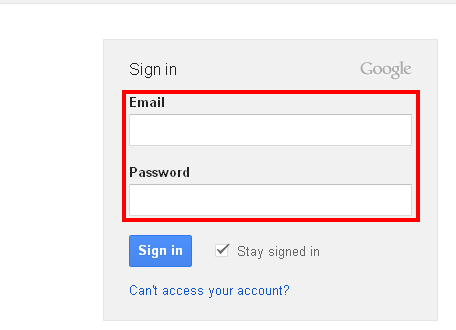
If you are a SEO or Blogger. You must have different email addressed which are really tough to remember with their password. So here is and easy way to know about your email adress that which email adress is associated with specific blogger’s blog.

Follow Some Steps Here:


2: Enter the Url of the blog about which you don’t know that which email address was use for that blog.

How To Add Blog/Website To Alexa?

2 comments
What Is Alexa?

Alexa is an official Website & company introduced to give ranking to each website on the internet.

We add our website to alexa to analyze ranking of website on daily basis. Alexa also show the traffice details of the websites which are in range of 1 lack. There are millions of blogs and website on internet and increasing day by day. Alexa gives a number to each site on internet. Google is on no 1 under Alexa and Facebook is on no 2.

How To Add Blog or Website To Alexa?

In this post I will tell you how to add your blog to alexa.com. To add your blog to alexa you have to follow some steps which are giving below.

How To Create & Upload Favicon To Blogger's Blog?

2 comments
Favicon

Favicon is a little icon or logo of the website showing on the left cornet of browser’s page tabe. Normally logo of the website is selected as favicon. This little icon is in icon format. You can create your favicon through different websites. For example www.favicon.co.uk is a free favicon creator website.

How To Create & Upload Favicon?

So lets start step by step that how to create and upload favicon to the blogger’s blog?

1: First select your image which you want to use as favicon of your blog. The image should bhi in JPG or PNG formate. I preffer PNG format. Then go to favicon creator website and create favicon by uploading your selected image and save it to your computer.

How To Upload Or Install A Blogger Template?

2 comments
I am here with basic blogger tutorial that how to install or upload a new blogger template?

Guys you will find alot of websites where you can download free and premium blogger templates according to your blog's nature. You can search in Google free blogger templates. After downloading blogger template you have to follow some steps to upload it to your blog. Those steps are as under:

1: Login to your blogger account.


2: Click on Design.